%20--%3e%3ctitle%3eF4%20Logo%3c/title%3e%3cpath%20fill='%23ffffff'%20d='M5.879%208.83c.76%200%201.378.617%201.376%201.378l-.011%205.797H5.386V13.85a.43.43%200%200%200-.43-.43h-2.53v-1.525h2.537a.43.43%200%200%200%20.43-.431v-.724a.43.43%200%200%200-.43-.43H.002V8.83h5.877Zm10.142%201.48H11.06a.43.43%200%200%200-.43.43v.724c0%20.237.193.43.43.43h2.538v1.526h-2.53a.43.43%200%200%200-.43.43v2.155h-1.86l-.012-5.797a1.377%201.377%200%200%201%201.377-1.379h5.877v1.481Zm-5.385-8.15c0%20.238.194.43.431.43h2.53v1.525H11.06a.43.43%200%200%200-.43.43v.725c0%20.237.193.43.43.43h4.962v1.482h-5.877a1.377%201.377%200%200%201-1.377-1.38L8.78.005h1.857V2.16Zm-3.38%203.642A1.377%201.377%200%200%201%205.878%207.18H.002V5.699h4.962a.43.43%200%200%200%20.43-.43v-.723a.43.43%200%200%200-.43-.43h-2.54V2.59h2.53a.43.43%200%200%200%20.431-.43V.005h1.858l.011%205.797Z'/%3e%3c/svg%3e)
On-device Analysiswith no AI

The Only On-Device Platform for 2D + 3D PMI Validation
Advanced PMI validation and analysis directly from the most popular design file formats
See your part like never before
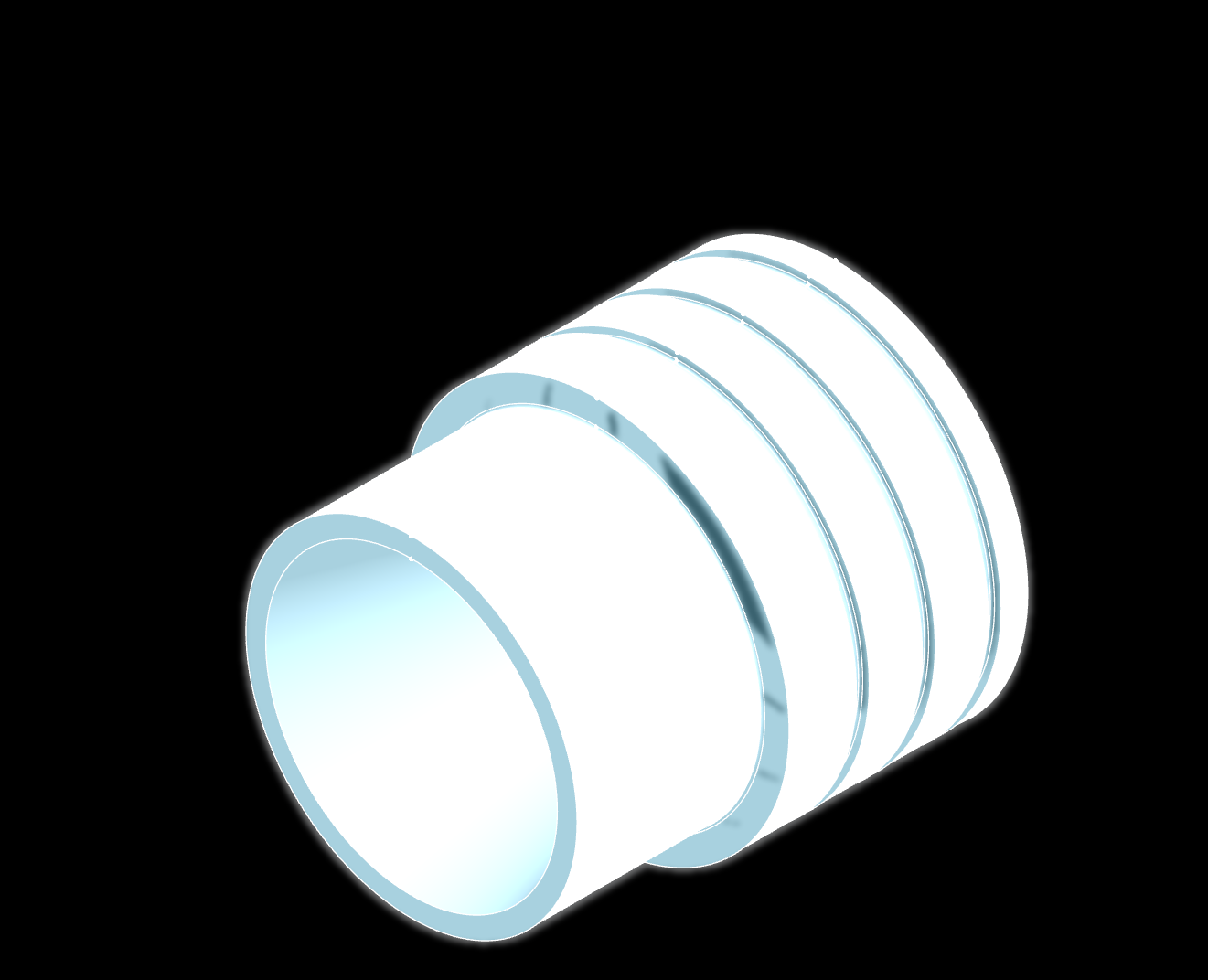
Explore a real engineering drawing alongside its CAD model. Toggle individual datum reference frames to see exactly how each one constrains the part in 3D, making complex GD&T relationships intuitive and easy to understand.
Drawing
The interactive drawing will load as this section approaches.
CAD Model
The interactive model will load as this section approaches.
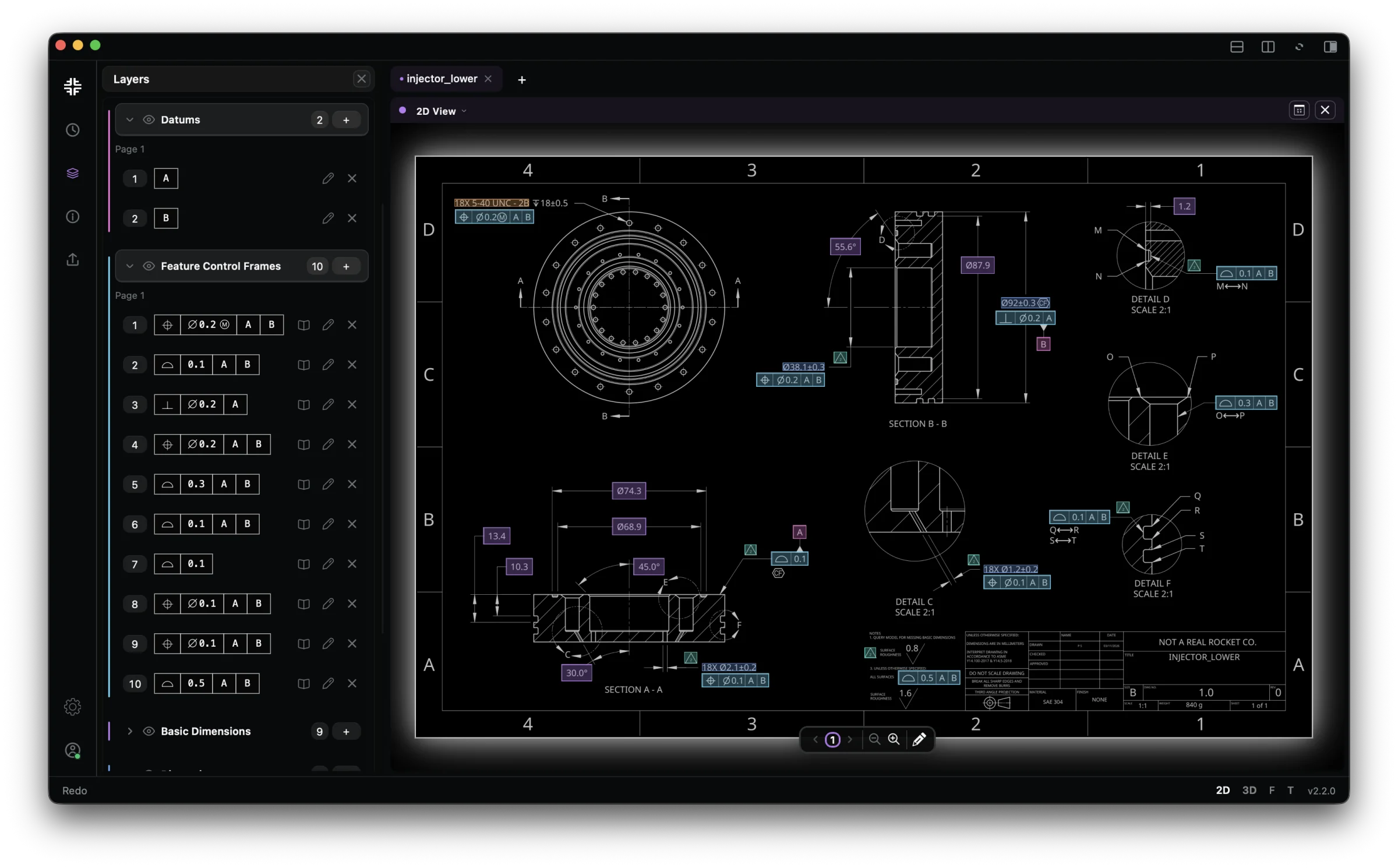
Instant Annotation
F4 can read and annotate your drawing with incredible accuracy. It identifies:
- Datums & Datum Targets
- Feature Control Frames
- Dimensions & Thread Callouts
- Custom Flagnotes & Annotations
All done in seconds, and with models that run fully on-device.
Building The Unified Part Model
F4 is the only software that can transform PDF and STEP files into a unified and shareable part model.
With the full context of 2D and 3D data, F4 enables validation and analysis work that was previously impossible in most design workflows.
Validate PMI Against the Standard
No more guesswork. Our software is tied to the ASME Y14.5 Standard.
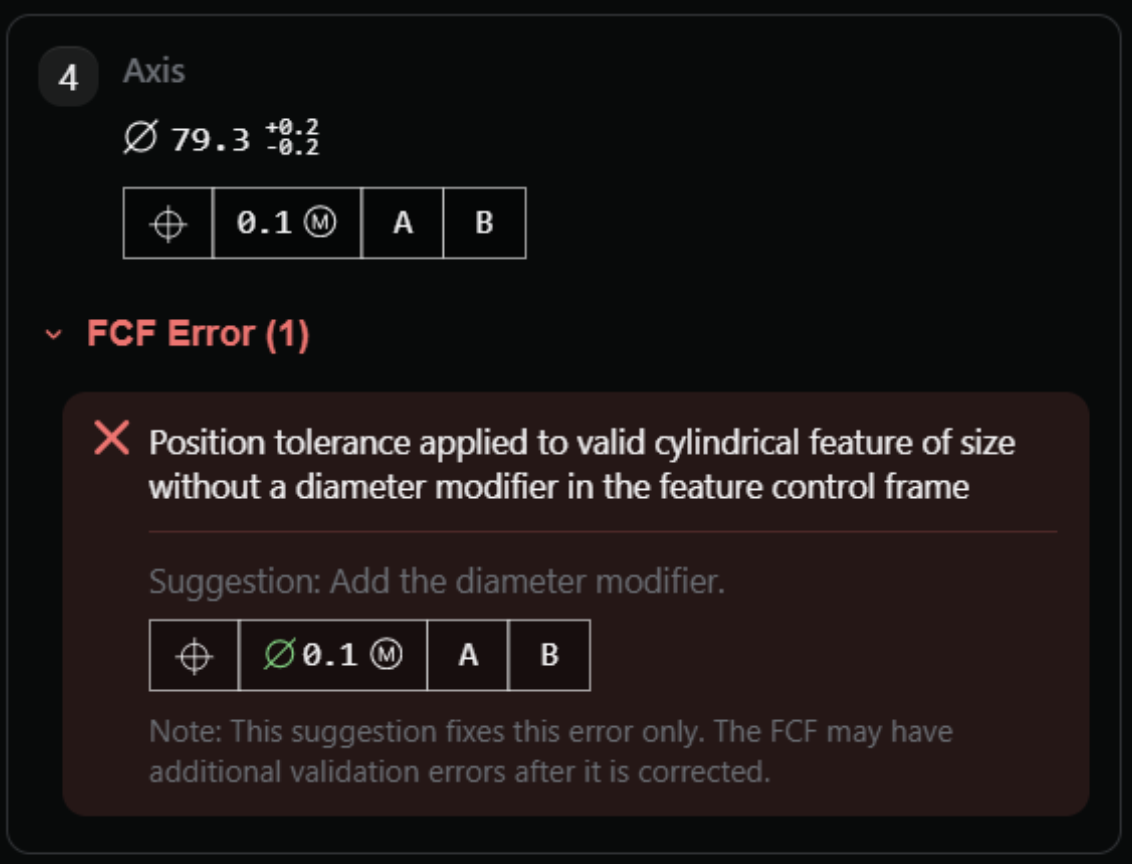
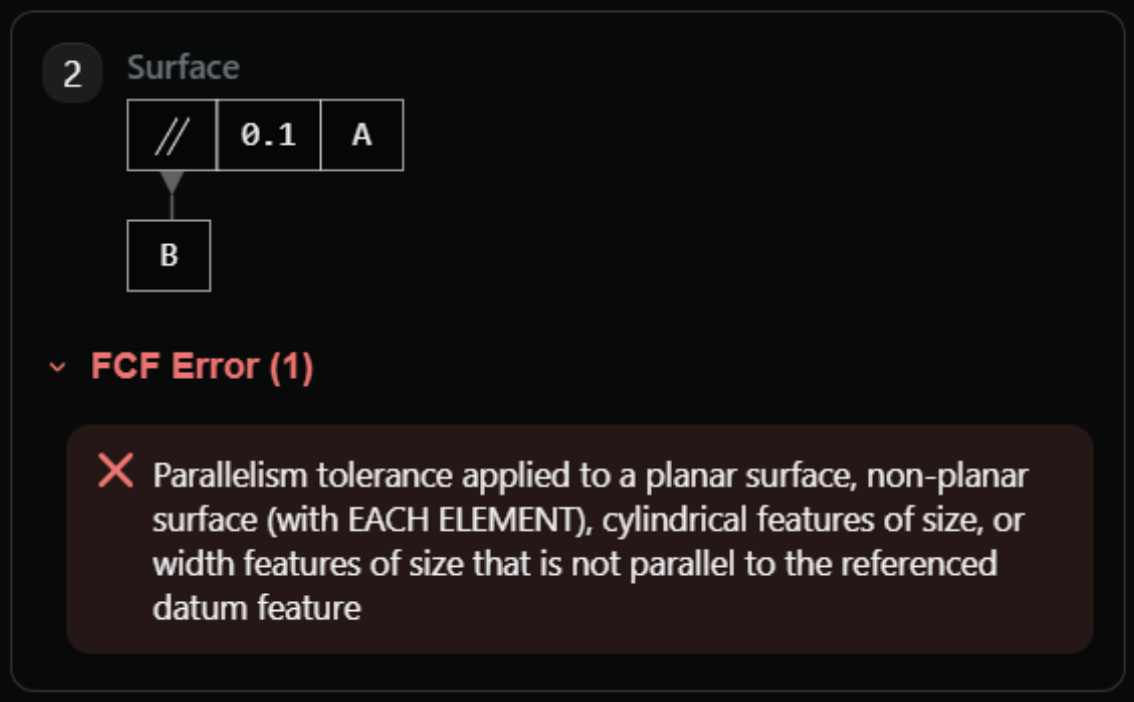
Catching the Bad GD&T
We check for hundreds of unique errors across all of your datums, controls, and dimensions, ensuring your GD&T is interpretable and meaningful.
- Incorrect application of geometric controls
- Redundant or incomplete definitions
- Erroneous datum and datum reference frames
- Inappropriate tolerance refinements
- Incorrect or missing syntax

Design Rule Checks
Apply custom design rules to your PMI.
Upscale your DFM and DFI flows by adding custom rulesets and running comprehensive checks across your features — letting you put the focus back on design intent.
Accelerate your Analysis Workflows
Compute single-part stackups in just two clicks.
Interface Stackups
Single-Part Stackups can be computed in only two clicks, accounting for:
- Datum Shift
- Bonus Tolerances
- MMC/LMC States
Stackup Breakdown
Contribution rows, subtotal, and final answer for the selected requirement.
| Description | Type | Min dist | Max dist | Tol |
|---|---|---|---|---|
| Radius FOS | Radius | -39.75 | -39.55 | 0.2 |
| Geometric Tolerance | ⌖ | -0.05 | +0.05 | 0.1 |
| Bonus Tolerance | Bonus | +0 | +0.2 | 0.2 |
| Datum Shift | Shift | +0 | +0 | 0 |
| Basic Dimension | Basic | +0 | +0 | 0 |
| Radius FOS | Radius | +45.95 | +46.05 | 0.1 |
| Subtotal | +6.15 | +6.75 | 0.6 | |
| Answer | +6.1500 | +6.7500 |