%20--%3e%3ctitle%3eF4%20Logo%3c/title%3e%3cpath%20fill='%23ffffff'%20d='M5.879%208.83c.76%200%201.378.617%201.376%201.378l-.011%205.797H5.386V13.85a.43.43%200%200%200-.43-.43h-2.53v-1.525h2.537a.43.43%200%200%200%20.43-.431v-.724a.43.43%200%200%200-.43-.43H.002V8.83h5.877Zm10.142%201.48H11.06a.43.43%200%200%200-.43.43v.724c0%20.237.193.43.43.43h2.538v1.526h-2.53a.43.43%200%200%200-.43.43v2.155h-1.86l-.012-5.797a1.377%201.377%200%200%201%201.377-1.379h5.877v1.481Zm-5.385-8.15c0%20.238.194.43.431.43h2.53v1.525H11.06a.43.43%200%200%200-.43.43v.725c0%20.237.193.43.43.43h4.962v1.482h-5.877a1.377%201.377%200%200%201-1.377-1.38L8.78.005h1.857V2.16Zm-3.38%203.642A1.377%201.377%200%200%201%205.878%207.18H.002V5.699h4.962a.43.43%200%200%200%20.43-.43v-.723a.43.43%200%200%200-.43-.43h-2.54V2.59h2.53a.43.43%200%200%200%20.431-.43V.005h1.858l.011%205.797Z'/%3e%3c/svg%3e)
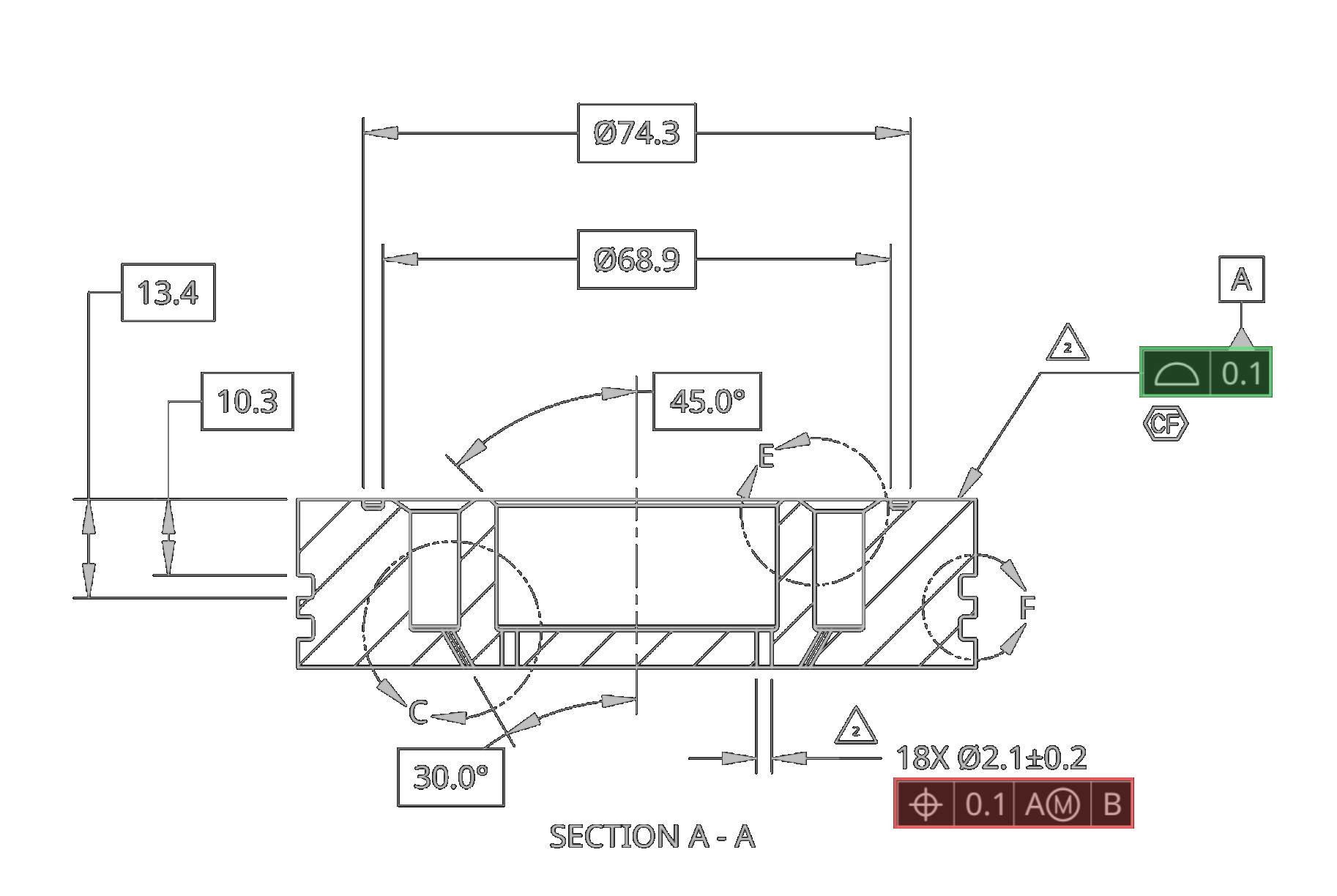





1. Import
Drag and drop PDF and STEP files directly into F4 — processed locally, never uploaded.
Drop engineering files here
injector_lower.step4.2 MB · 3D Model

injector_lower.pdf1.8 MB · 2D Drawing

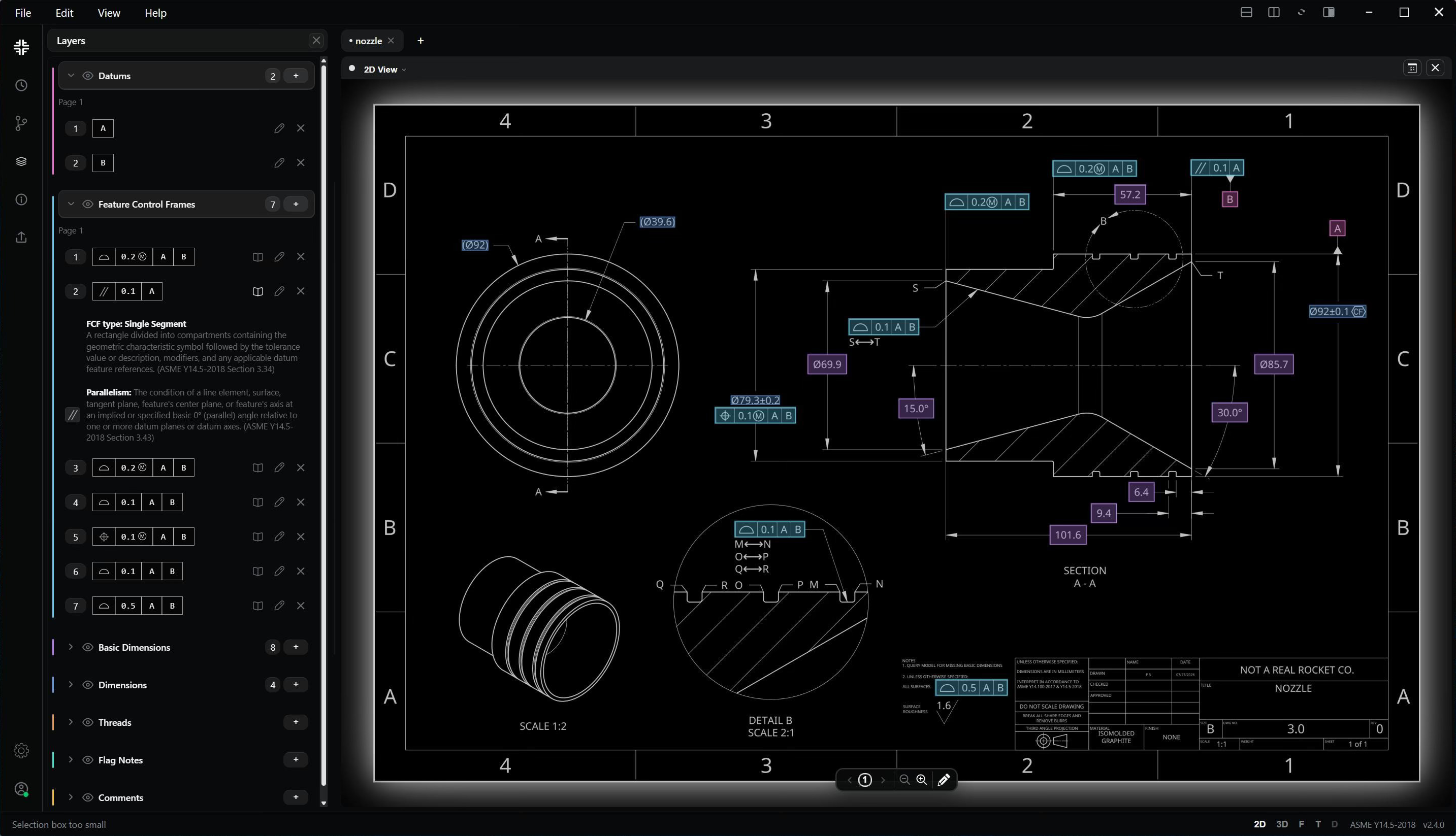
GD&T errors should never delay your projects. F4 catches them before you release your designs.
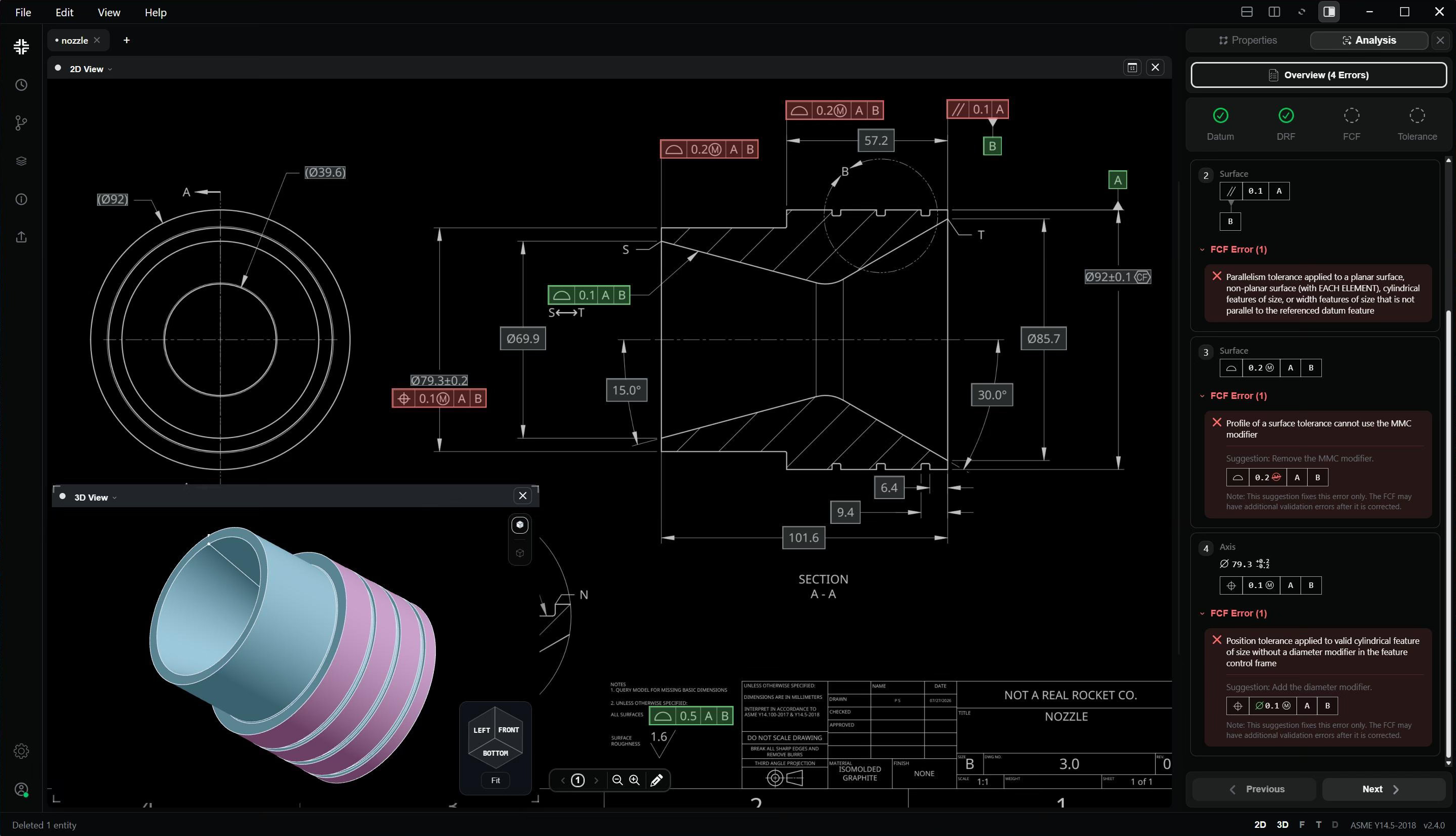
Let nothing slip through your review process.
Drag and drop PDF and STEP files directly into F4 — processed locally, never uploaded.
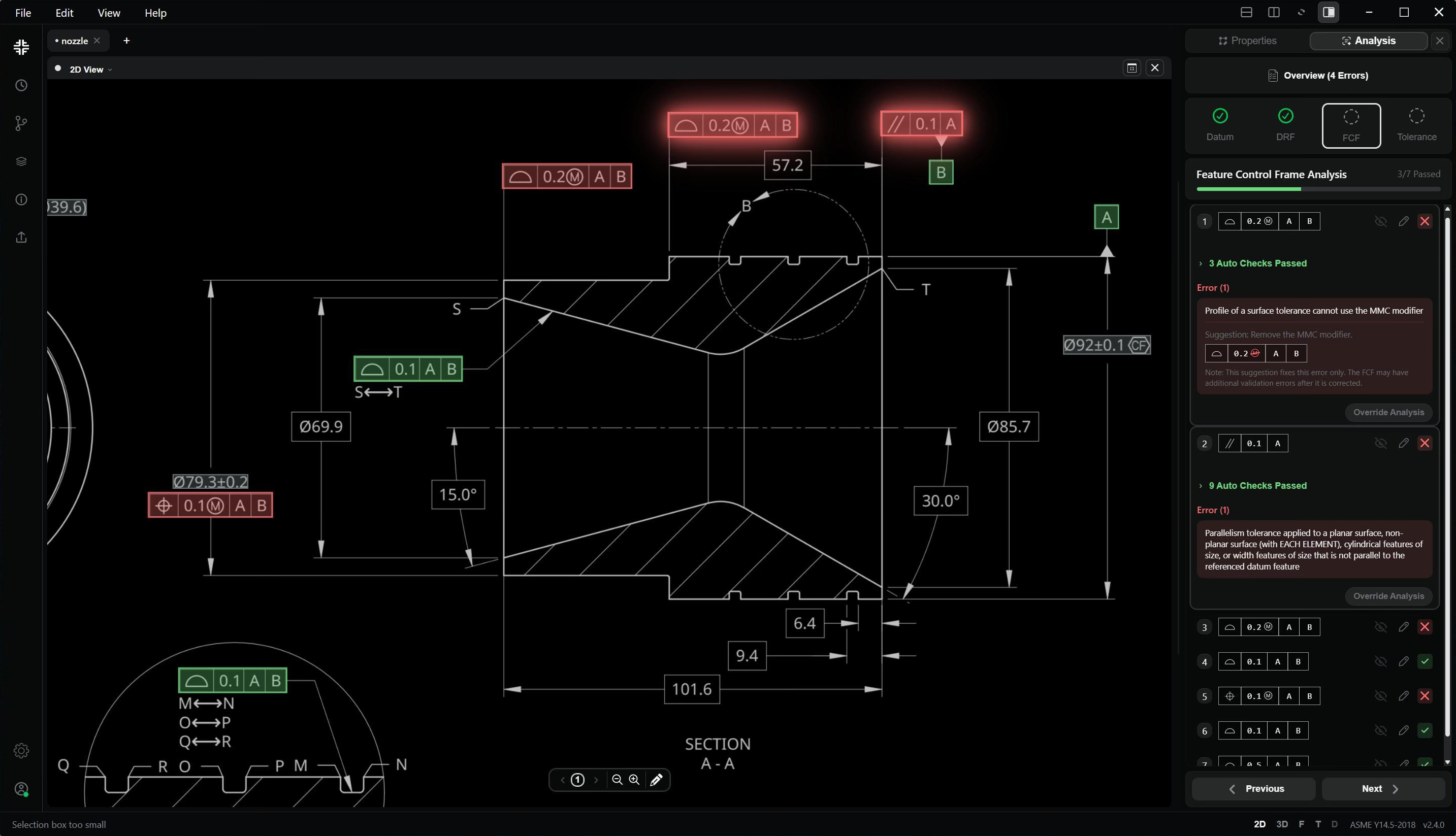
Check your full design against the ASME Y14.5 Standard, using F4’s Drawing Validation Engine.
We detect hundreds of kinds of common GD&T errors — without using AI.
F4 gives designers more confidence in their drawings and saves many painstaking hours of review and redlining.
F4 performs a wide range of engineering analyses to help you understand your design beyond simple syntax.
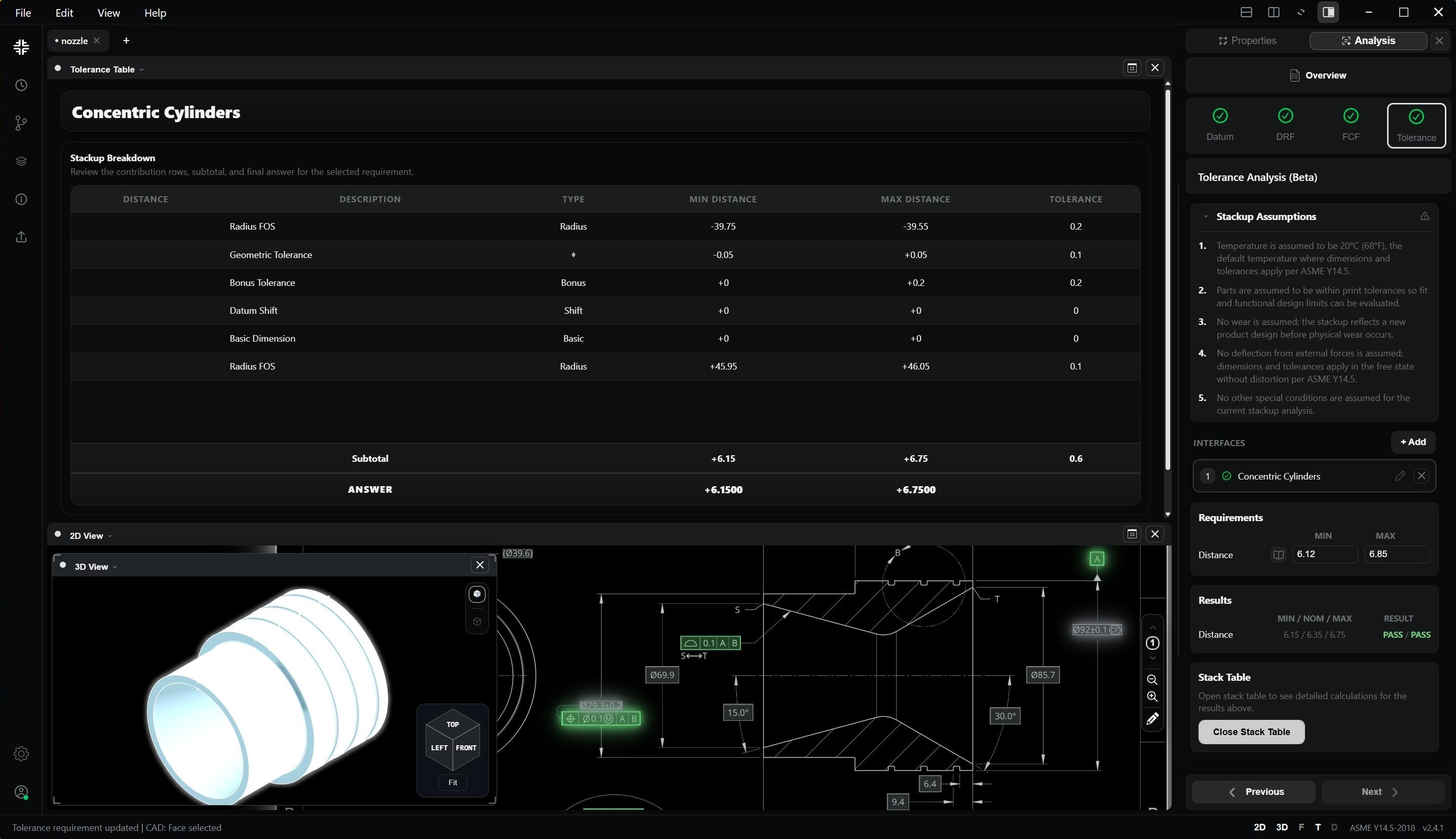
Generate a redlined drawing that clearly summarizes your validation results and analysis for review and communication.
F4 plugs back into your design and manufacturing workflows. Generate redlined drawings, along with exports for every downstream workflow.
Share project files with teammates to communicate design intent.
Save your detected PMI data in a template FAIR table (AS9102).
Migrate to MBD - straight from your drawings.
| Features | F4 ReviewFor organizations that need expert drawing reviews, without the overhead.Buy Now | F4 ProFor single users looking to maximize their productivity.Contact Sales | F4 EnterpriseFor teams that want to perfect their drawing review process.Contact Sales |
|---|---|---|---|
| GD&T Validation | ✓ | ✓ | ✓ |
| Drawing Analysis | ✓ | ✓ | ✓ |
| Report & Template Exports | ✓ | ✓ | ✓ |
| Custom Rulechecks | − | Coming Soon | Coming Soon |
| Interface Stackups | − | ✓ | ✓ |
| Support for export-controlled data | Coming Soon | ✓ | ✓ |
| Custom Onboarding | − | − | ✓ |
| Dedicated Technical Support & Training | − | − | ✓ |
| Onsite Services | − | − | ✓ |


